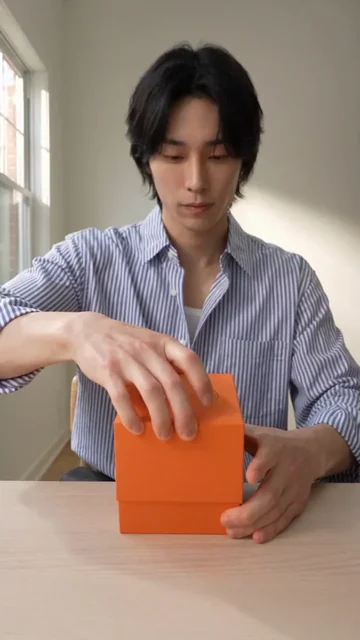
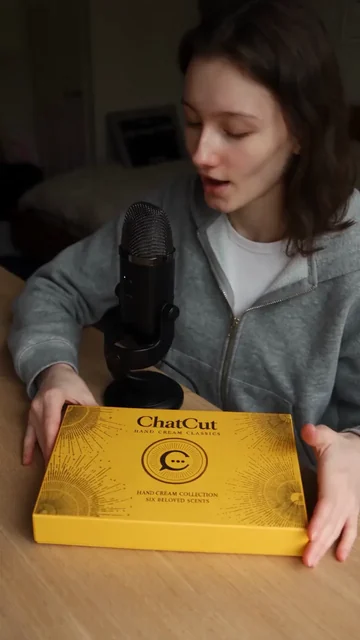
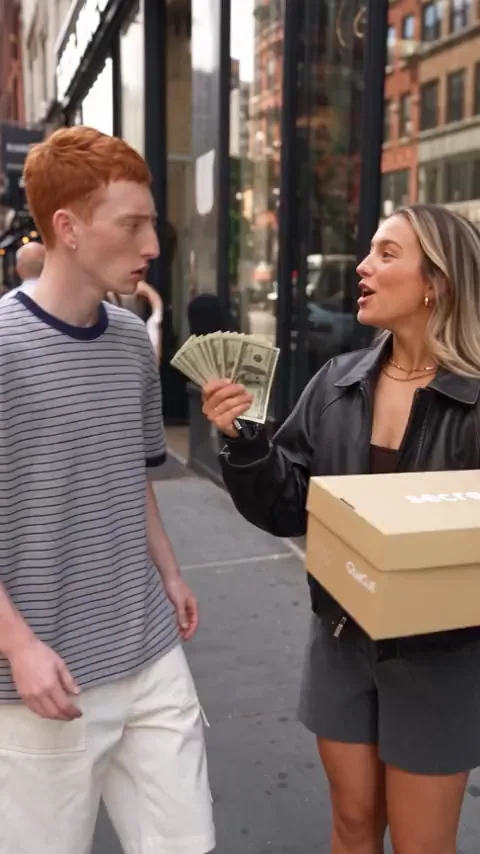
In Codex
Use ChatCut to make a 15-second, 9:16 quiet creator unboxing from my presenter and product-with-packaging photos. Inspect the box, reveal the mug and show its handle. Use only these details and show the credit estimate before generating.
Make an unboxing video from your product photos, with packaging details, close inspection and a reveal worth watching.
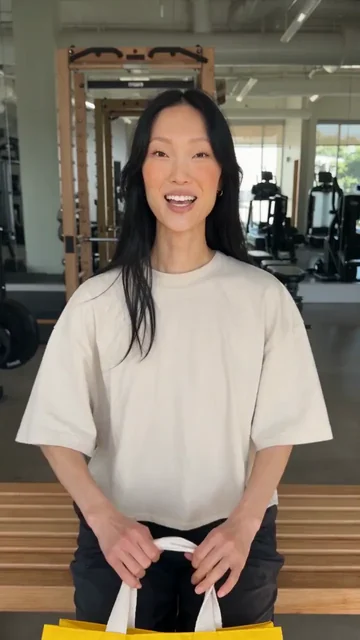
Unbox and try onPro
What happens next
Video generation needs a paid plan and uses credits. Review the estimate in ChatCut before the run. Unboxing inputs and steps





Trusted by 400,000+ creators
Choose creator commentary, ASMR handling, a mystery reveal or an unboxing that ends with a try-on.
Give the packaging, the handling and the first look at your product their own moment.
Supply the box or bag alongside the product, so the unboxing brief includes what customers see before the item appears.
Window-light ASMR unboxing focuses on packaging textures and detailed handling sounds for a sensory product introduction.
Mystery-box product reveal uses a choice, a box opening and a surprise to give the product an entrance.
Unbox and try on moves from the package to the outfit, linking the opening experience to a finished look.
Start with the reveal you want, then give ChatCut the references needed to show it.
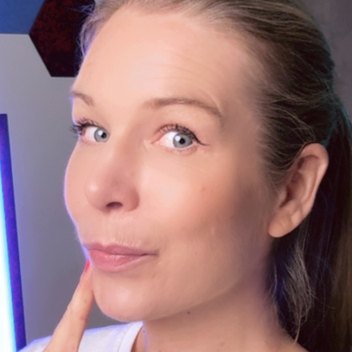
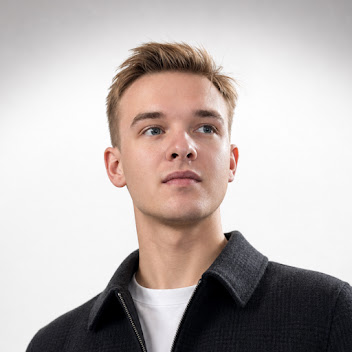
Choose a template and presenter, then add product and packaging images as requested by the form.
Note what to inspect, the wording to include and any garment details, then choose the available length and shape.
Continue to the editor, sign in and review the cost before generating, then check the reveal and edit your clip.
Use the opening sequence to show what makes the product and its presentation worth a closer look.
Show a new box, bag or wrapping alongside the product with close inspection and creator commentary.
Choose ASMR when packaging textures and handling sounds are central to how you want to introduce the item.
Move from a shopping bag or package to the garment being worn, using your clothing and packaging references.
Use ChatCut in Codex or Claude Code to brief the packaging, handling and final reveal in plain words.
In Codex
Use ChatCut to make a 15-second, 9:16 quiet creator unboxing from my presenter and product-with-packaging photos. Inspect the box, reveal the mug and show its handle. Use only these details and show the credit estimate before generating.
In Claude Code
Use ChatCut to create a 10-second, 9:16 window-light ASMR unboxing from my presenter and packaging photos. Focus on opening the paper wrap and handling the product. Show the credit estimate before generating.
Also on Grok and Antigravity. See all plugins.
Your result lands in a ChatCut project. Trim it, add captions, a voiceover or music, then export. Manual editing and export do not use credits.
100+ Skills. No experience needed. Start in one click.
Unlock member features, models, and export allowances. Get more credits every month
Billed annually · $252
16% offBilled annually · $456
24% offBilled annually · $864
28% offBilled annually · $1692
30% off$0No credit card required
Some features are completely free in Codex, Claude, and WorkBuddy. Learn More
| Credits per month | Monthly | Annual |
|---|---|---|
| Starter · 100 credits / month | $25/month Billed monthly | $21/month $252 · Billed annually |
| Plus · 200 credits / month | $48/month Billed monthly | $38/month $456 · Billed annually |
| Pro · 400 credits / month | $92/month Billed monthly | $72/month $864 · Billed annually |
| Max · 800 credits / month | $180/month Billed monthly | $141/month $1692 · Billed annually |
| Max · 1,200 credits / month | $270/month Billed monthly | $211/month $2532 · Billed annually |
| Max · 2,000 credits / month | $450/month Billed monthly | $351/month $4212 · Billed annually |
Yes, it generates an opening-and-reveal scene from your product inputs and chosen template. You do not need to film an unboxing first. The result is a generated product video, not footage of an actual customer's purchase.
Choose the opening style above, select a presenter and fill in the product and packaging inputs. Continue to ChatCut to sign in, review the credit estimate and run generation. Picking files here does not upload them or charge your account; those actions happen in the editor.
For Quiet creator unboxing and Window-light ASMR unboxing, provide images that show both the product and its packaging. Mystery-box product reveal asks for product photos and a brief. Unbox and try on needs the garment and its packaging or shopping bag, plus a chosen or uploaded presenter photo.
Choose Window-light ASMR unboxing for packaging textures and detailed handling sounds. Quiet creator unboxing instead centers close inspection and commentary. Use the optional direction to describe the details you want the opening to emphasize.
Yes, choose Unbox and try on. Supply the clothing and packaging images so the scene can move from opening the package to showing the outfit on. Check the garment's appearance against your references before publishing.
All four templates offer 5, 10 or 15 seconds at 720p. They support 16:9, 9:16, 3:4, 1:1 and 4:3. Choose a longer option when your brief includes both close inspection and a final reveal.
No, video generation needs a paid plan and consumes credits. ChatCut gives you the estimate before the run, and every redo is a new paid job. Manual editing, adding captions and exporting do not use credits.
Yes, bring the generated clip into a ChatCut project to trim the opening or the ending. You can add captions and arrange the clip with other footage before exporting.
Use the Codex setup guide, or connect ChatCut in Claude Code, then provide the packaging references and reveal brief. The plugin does not install into the ChatGPT or Claude websites. ChatCut-hosted generation uses your ChatCut plan and credits; the host agent has its own allowance.
Compare the label, logo, colors and product shape with your reference photos. Review the box-opening sequence as well as the final product view. If you need another generated take, check its new credit estimate before running it.
Guides: Product ads and unboxing guide · All Skills
AI apps
Convert & compress
Edit video
Audio & voice